
Skills & Connectors
What a Skill and a connector are, how to browse them, the three ways to call a Skill, what they cost, and how to connect an account or remove a Skill from an app.
What a Skill is
A Skill is a capability MeDo can call on — generating a video, reading a web page, taking a payment, translating text, sending an email through Gmail. Skills are how MeDo does things the model cannot do on its own, and how your app gains features you did not have to build.
You use them in two ways: to get a piece of work done right now (a poster, a summary, a slide deck), or to build the capability into an app ("let users turn a photo into a short clip").
Skills are metered. Every call to a paid Skill costs credits — while you build, and again every time a visitor to your published app triggers it. The price is on the Skill card, a small daily free quota applies first, and you can cap a Skill's daily calls per app. Details in What Skills cost.
Skills and connectors
Most Skills run on MeDo's own capacity. A connector is a Skill that runs against an account you already own — your inbox, your calendar, your spreadsheets, your team chat, your task board, your CRM. You connect that account once, and the app then reads and writes through it.
That difference is worth knowing before you build:
- A connector only sees what the connected account can see. Its reach is your account's reach, nothing wider.
- The app uses the account you connected, not each visitor's own account. If a page shows mailbox or CRM data, put it behind your app's own sign-in and restrict it to the people who should have it.
- Connecting is free to call. You still pay for the build messages that use the connector.
- Connectors cover the common actions of a service, not all of them. Each guide lists what is available.
The full list, grouped the way the product groups them, is in the connector catalog.
Skills & Connectors
Click Skills & Connectors in the sidebar to open the catalog of everything available.
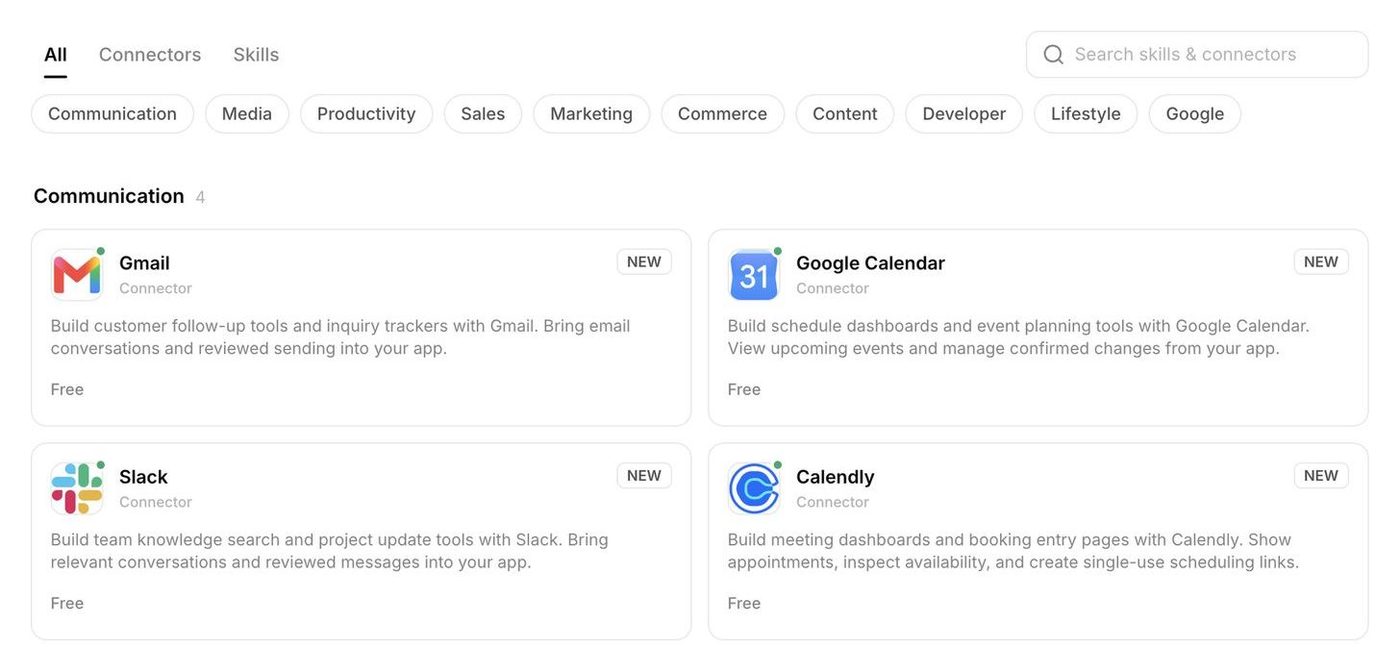
- All lists every official Skill and connector, grouped by category: Content Creation, Content Processing, Voice Interaction, Payment Service, Maps & Travel, Information Search, Auth, Productivity, Billing, plus the Kling Zone for video and image generation. Each card shows who publishes the Skill, what it does, the Credits per Call, and how many times it has been used. Limited Promo marks a temporary discount.
- Connectors filters the list down to the Skills that connect to an account you own.
- Skills narrows the list to the Skills that run on MeDo's own capacity, without an external account.
- My skills opens the custom Skills you created or imported.
- Create skill starts a new custom Skill; see Custom Skills.
- The Daily free skill quota widget shows how many free calls you have left today; see Daily Free Skill Usage Quotas.
Try a Skill before you commit to it
Open a Skill or connector card and you see its Chat examples. Click any example and MeDo puts it into the prompt box on the Home page, with the Skill already mentioned, so you can edit the wording and send it when you are ready. Nothing is sent or built until you send the message yourself, and nothing is charged.
One thing worth knowing: if the prompt box already has text — an unfinished draft, or an example you clicked earlier — the new example is appended, not replaced. Clear the box first if you want a clean start.
Connect the tools you already use
Connectors link an app to your own accounts — Gmail, Outlook, Google Calendar, Google Sheets, Google Drive, Google Docs, Google Slides, Google Search Console, Google Analytics, Google Ads, Slack, Discord, Calendly, Airtable, ClickUp, Asana, Monday, Jira, Notion, OneDrive, Microsoft Excel, HubSpot, Zoho CRM, and Figma and Intercom — so it can read your inbox, work with a spreadsheet, book meetings, post to a channel, read ads performance, or work with support conversations. Open a connector card and click Connect; the first time you use one, MeDo asks you to sign in to that service and grant access. These connections are free to call; you only pay for the build messages that use them. Each one has its own guide in the connector catalog.
Which Skill for which job
The Skills & Connectors list is long. This is the short version — what to reach for in the situations that come up most. Prices change (watch for Limited Promo), so treat the card as the source of truth.
The Content Processing tab also has ready-made assistants — meal planning, wardrobe, fitness plans, resume optimisation, contract review — that are free and work well as one-off tasks.
Three ways to call a Skill
Let MeDo choose
Just describe the outcome. "Make a 10-second product teaser from these three photos" is enough for MeDo to pick a video Skill. This works for building apps and for one-off tasks.
Name it with @
Type @ in the prompt box to open the Skill list, pick or search for a Skill, then finish your sentence: "Use @Image Generation to create a hero banner in the bakery's colours." Custom Skills appear first in the list.
Use the Skills & Connectors button
Click Skills & Connectors on the prompt bar to open the same picker, with a search field and a Browse all plugins entry at the bottom. Selecting one is the same as typing @.
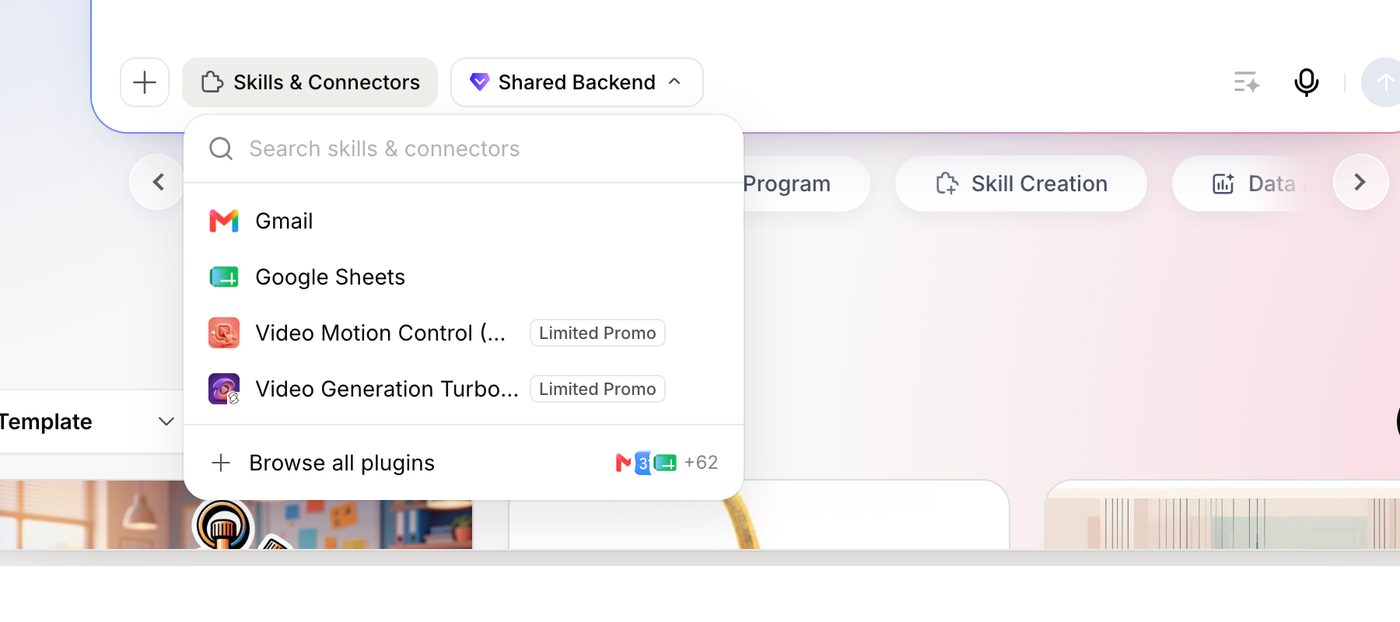
Whichever way you choose it, describe what you want in the same message. A message that only names a Skill gives MeDo nothing to do.
What Skills cost
Skills are not a one-time purchase. A paid Skill is charged every time it runs, for as long as your app uses it:
- Every official Skill card shows its Credits per Call. Many are free; generation Skills (video, image) are the expensive ones.
- Each Skill has a daily free quota that is used first: 1 video call, 5 image calls, and 100 calls of everything else per day. After that the card price applies to every call.
- Skills are charged per call, on top of the Fast or Deep Build message that triggered them.
- In a published app, your visitors' calls are charged to you. If your live site lets anyone generate a video, each video they make is billed to your account — and your balance keeps dropping while the app is online, even when you are not using MeDo yourself. Set a daily call limit per Skill (below) before you publish anything with a paid Skill in it, and check your Credits balance regularly.
See Credit System for the full rules and Daily Free Skill Usage Quotas for the quota table.
Skills an app uses
Once an app has called a Skill, the Skill view in the editor's left rail lists every Skill it uses. From there you can:
- see which Skills are in play and how they are configured;
- enter an API key for a custom Skill that needs one;
- set a daily call limit for a paid Skill. The limit applies to calls made while building and calls made by your app's users; once it is reached, the Skill stops responding until the next day.
To remove a Skill from an app, click Delete in that list — MeDo pre-fills "Please remove @Skill" in the prompt box; send it and MeDo takes the feature out. Asking in plain words ("remove the video generation feature") does the same thing.
Related
- Connector catalog — every connector, grouped by what it is for.
- Custom Skills — package your own workflow or API as a Skill.
- General Tasks — use Skills to get one-off work done without building an app.
- Build from Your AI Agent — the MeDo Skill your own agent installs to drive MeDo.