
Android: get your app on a phone
A plain-language guide to turning a MeDo mobile app into an Android app: build an APK to install directly, or an AAB for Google Play — with screenshots of each step.
Android is the easy one. There is no approval and no developer account needed to put your app on a phone: MeDo builds an installer file, you copy it to the phone, done. Publishing on Google Play adds a one-time US$25 developer account and a store listing.
What you need
- A Mobile app in MeDo. Packaging is available for projects created with the Mobile task type; they show an Export installation package button at the top of the editor.
- 300 credits per Android packaging run. If the run fails or you cancel, the credits are refunded automatically.
- For Google Play only: a Google account and a Play Console developer account (US$25, once).
APK or AAB?
MeDo can produce two kinds of file. Pick based on where the app is going:
Build the file in MeDo
- Open your Mobile project and click Export installation package at the top of the editor.
- Make sure the Android app tab is selected.
- Choose the file type in the dropdown — APK or AAB.
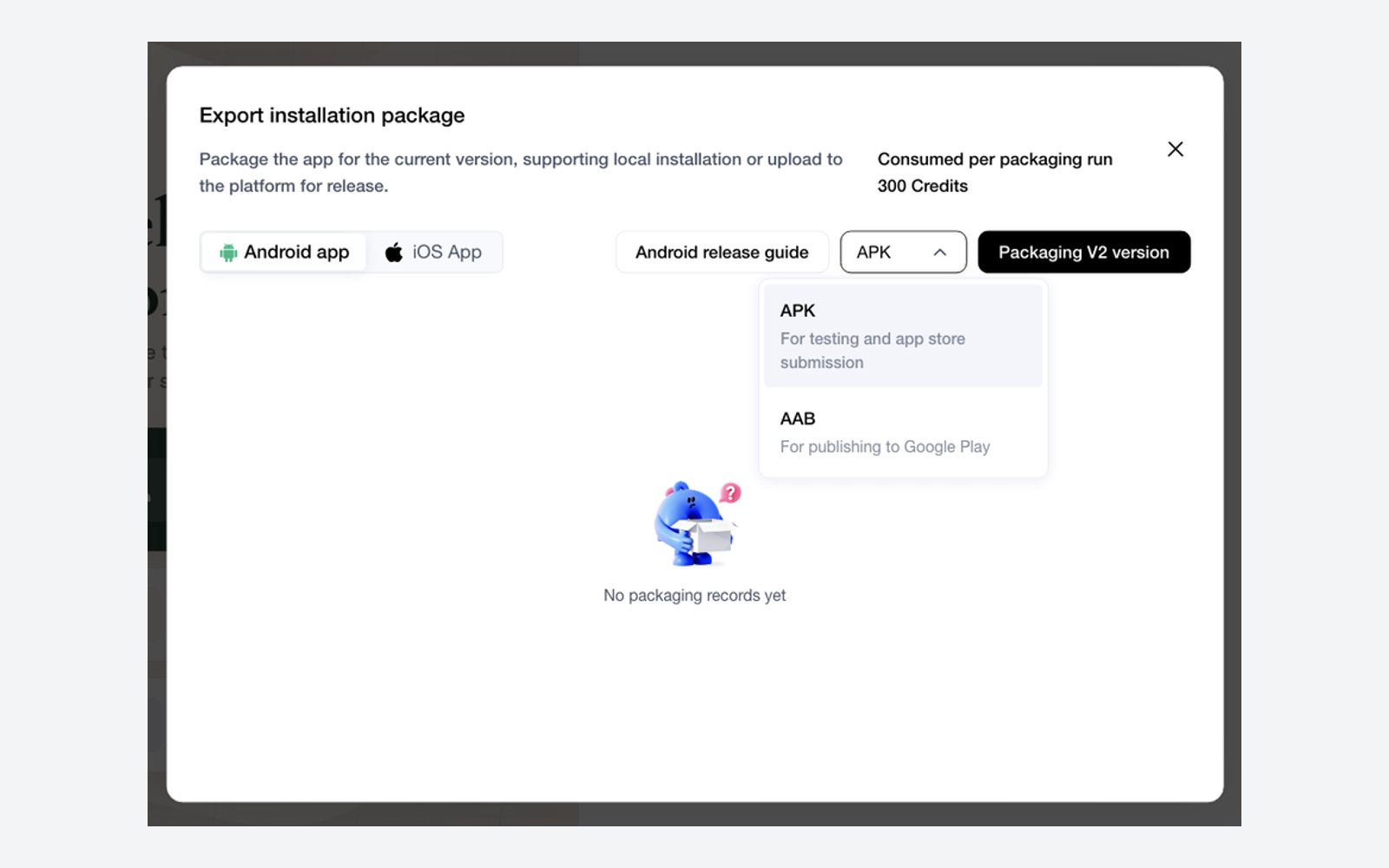
- Click Packaging V… version (it shows your app's current version — for example "Packaging V2 version"). MeDo asks you to confirm the 300-credit charge.
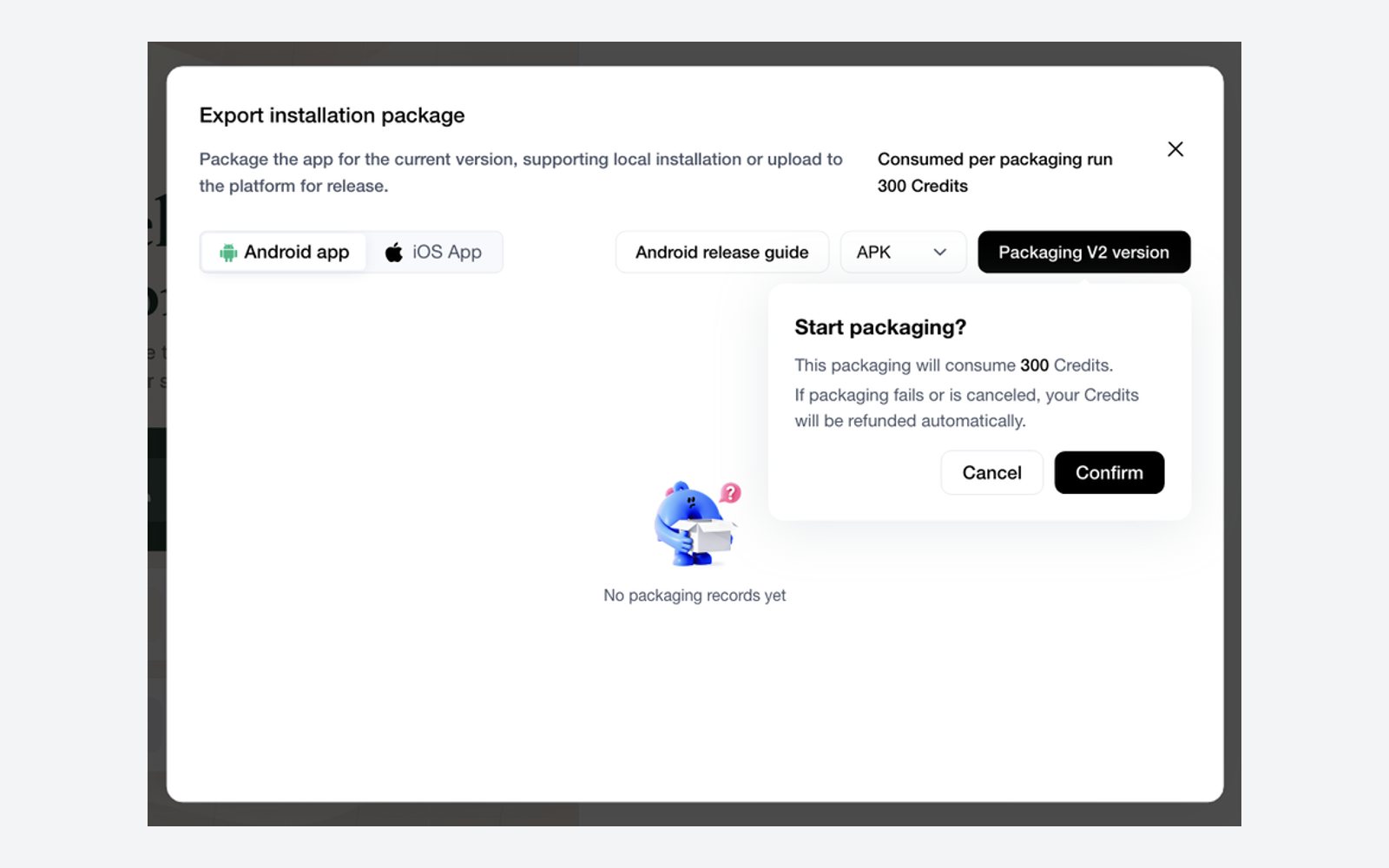
- Click Confirm and wait a few minutes. You can close the dialog; finished builds appear in the list in the same dialog with a download button.
Install the APK on a phone
- Get the file onto the phone. Easiest ways: email it to yourself and open the attachment on the phone, or put it in Google Drive and download it there. A USB cable works too.
- Open the phone's Files (or Downloads) app and tap the APK.
- Android will say something like "For your security, your phone is not allowed to install unknown apps from this source." Tap Settings, switch on Allow from this source, and go back.
- Tap Install, then Open.
Google Play Protect may show a warning because the app is not from the Play Store. Tap Install anyway (sometimes hidden under More details). This only appears for apps installed outside the store.
The app now sits on the home screen like any other. To update it later, package again in MeDo and install the new APK over the old one.
Publish on Google Play
When you want the app in the store, build an AAB instead and follow Google Play Publishing, which goes through the Play Console step by step: creating the developer account, the store listing, the questions Google asks about privacy and content, and releasing to testers before the public.
Read alongside it:
- Google Play Policies — the rules that get apps rejected.
- Common Pitfalls & FAQ — what usually goes wrong the first time.
- Alternative Stores — Samsung, Amazon, Huawei, and others, if Google Play is not the right fit.