
MeDo Mini Program Trusted Domain Setup
Learn why WeChat blocks Mini Program requests to untrusted domains and how to configure allowed request domains for testing and release.
What Is Happening?
The Mini Program needs to connect to a remote server to load, save, update, or delete data.
WeChat only allows Mini Programs to connect to trusted domains. If a domain is not added to the allowed domain list, WeChat will block the request.
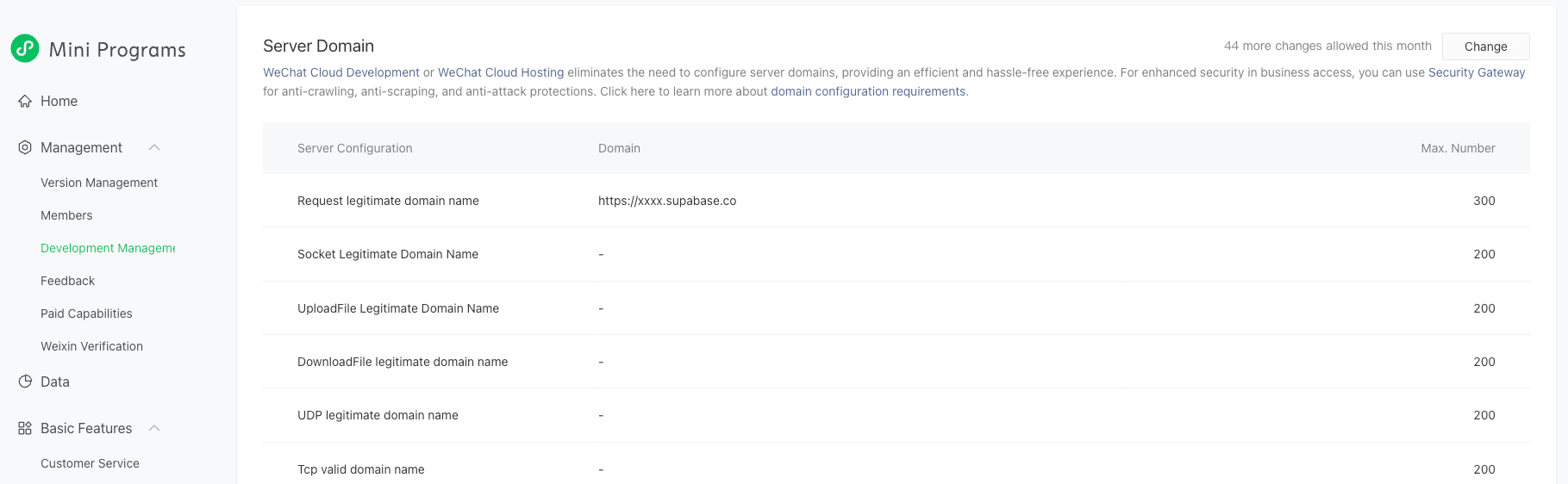
In this case, the Mini Program is trying to call:
https://<project-ref>.functions.supabase.co
But this domain has not been added to the Mini Program's allowed request domains, so the request is blocked.
What You Need to Do
If You Are Testing the Trial Version
If the Mini Program is still in trial mode, the domain setting may not take effect immediately.
To continue testing, open the Mini Program menu and enable Development Debugging.
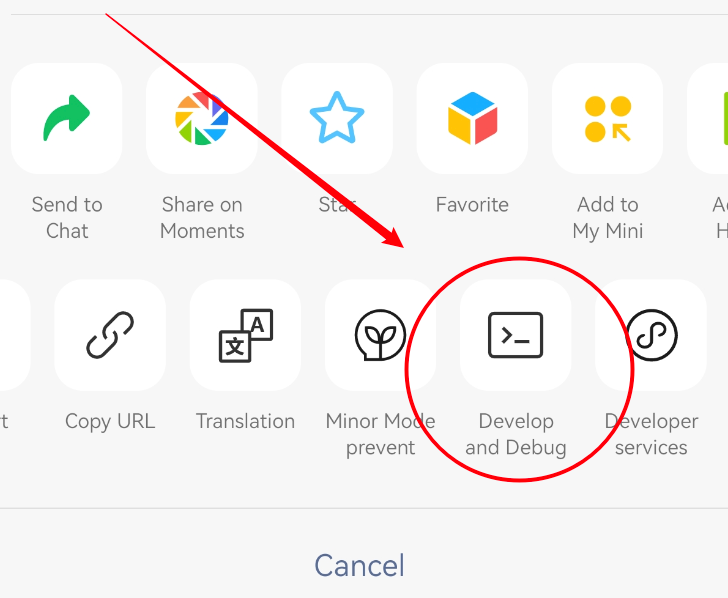
This is only for testing. Users of the released Mini Program do not need to do this.
If You Are Preparing for Release
Before releasing the Mini Program, make sure the Supabase domains used by the app are added to the allowed request domain list.
Depending on the features your app uses, add the relevant domains for your Supabase project:
https://<project-ref>.functions.supabase.cohttps://<project-ref>.supabase.co
After the domain configuration is updated, submit the Mini Program for review and release it. The released version will then be able to call these APIs normally.
Simple Summary
The request is failing because the Supabase domain is not trusted by WeChat yet.
For trial testing, enable Development Debugging.
For release, add the Supabase domains to the Mini Program's allowed request domain list and publish a new version.