WeChat 小程式程式碼提交失敗的常見修復
在透過 MeDo 發佈小程式前,查看常見 WeChat 小程式程式碼提交錯誤及建議修復方式。
注意: 截圖保留自原始文檔,因此圖片中的 UI 文字可能仍顯示其他語言。
概覽
小程式開發完成並準備透過 WeChat Mini Program 渠道發佈後,程式碼提交可能因多種常見原因失敗。本文列出典型錯誤並提供建議修復方式。對於需要修改程式碼的問題,你可以調整提供的提示詞並傳送給 MeDo,讓它修改專案。
錯誤 1:授權錯誤,請嘗試重新授權小程式
常見情況有兩種。
情況 1:第三方開發平台未授權或授權不足
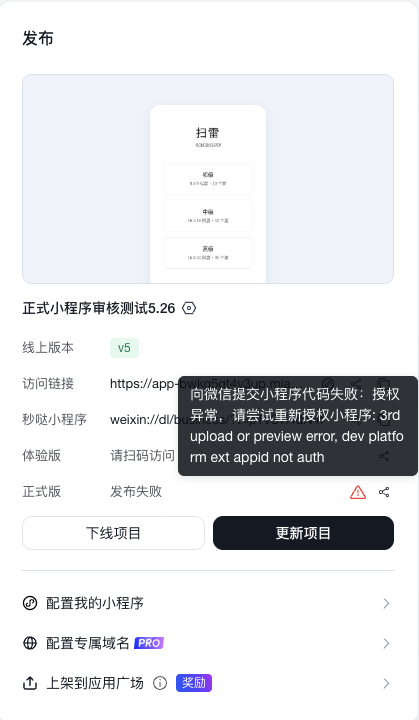
修復方式
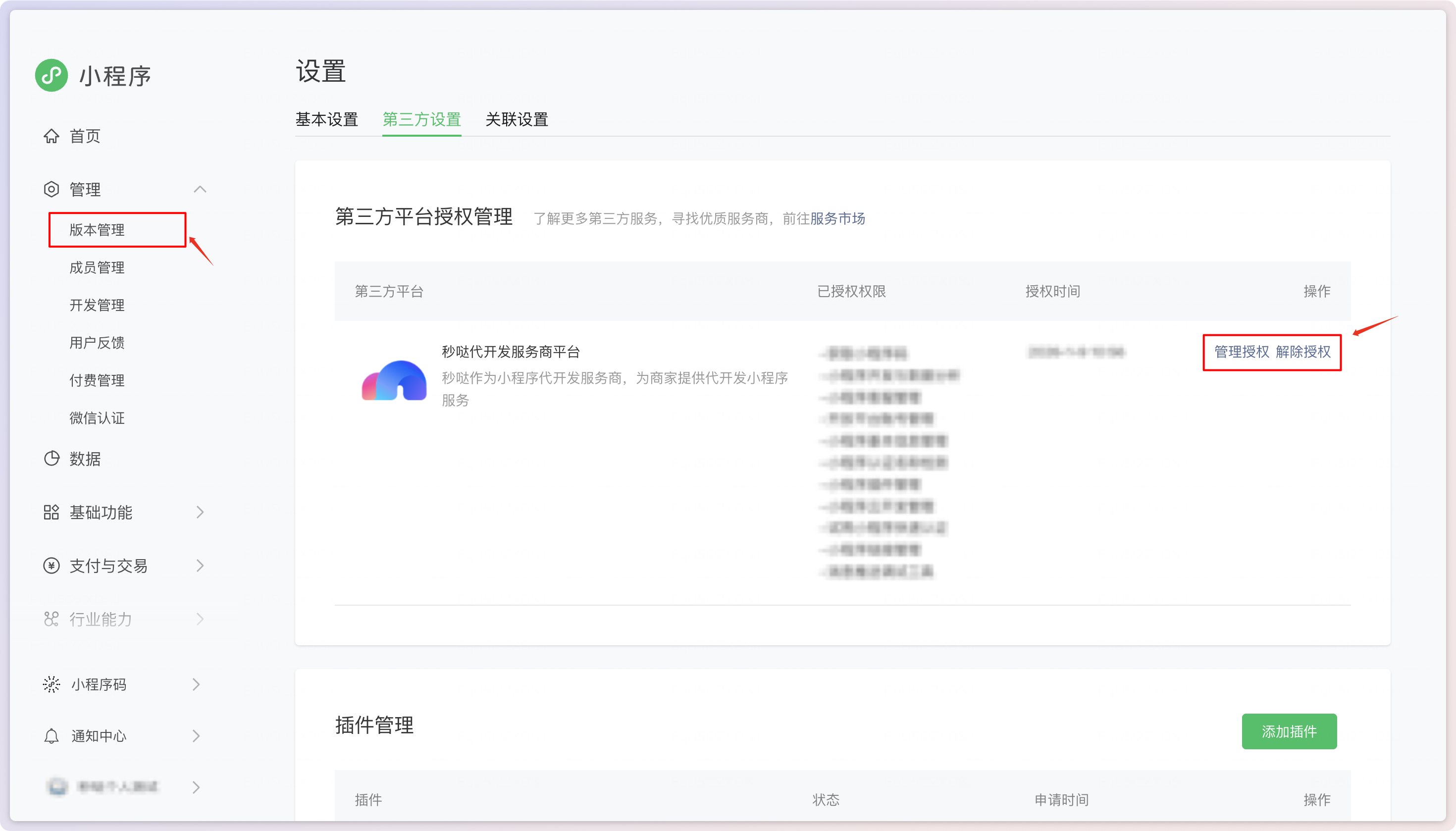
掃描程式碼,前往 WeChat Open Platform > Management > Version Management > View Authorized Third-Party Platforms > Third-Party Settings > Third-Party Platform Authorization Management。在 WeChat 端重新授權平台。不要同時授權多個平台。
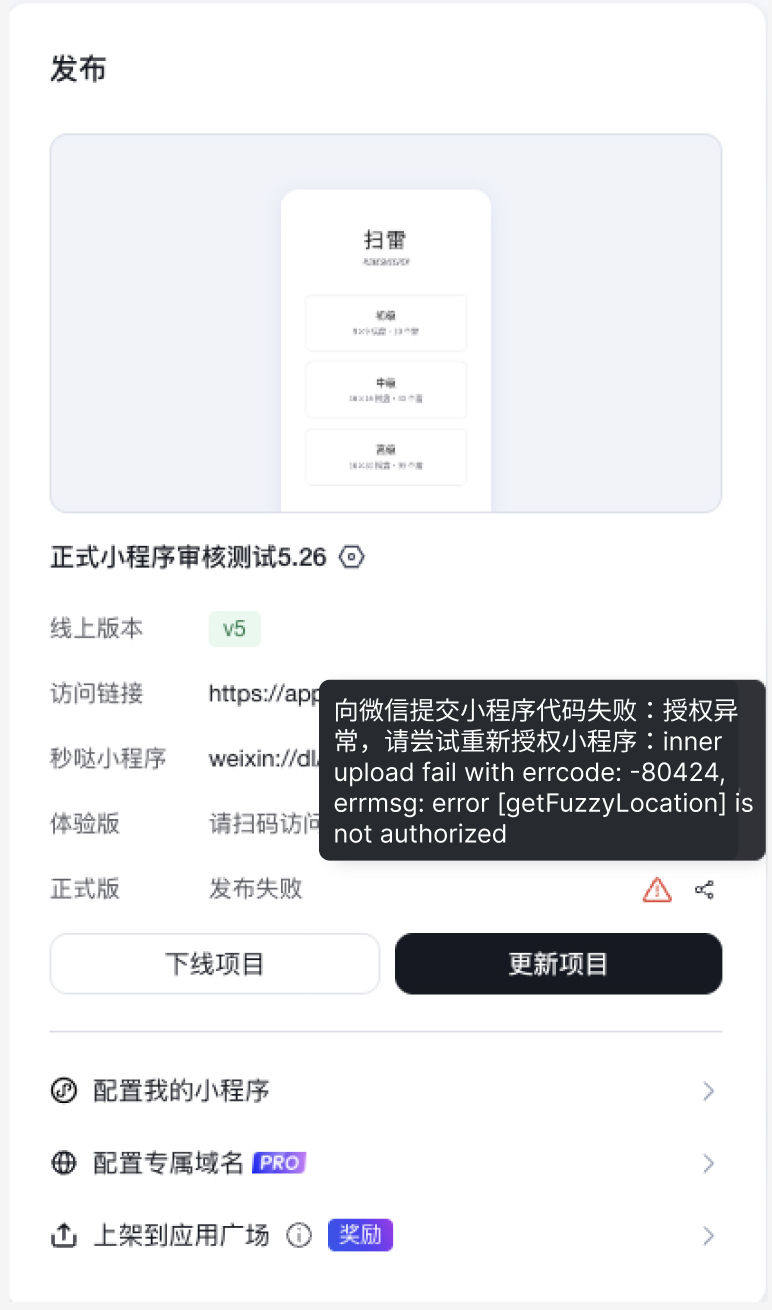
情況 2:未啟用必要插件接口
修復方式
掃描程式碼,前往 WeChat Open Platform > Management > Development Management > Interface Settings。啟用錯誤訊息中提到的接口。例如,如果錯誤顯示 error [getFuzzyLocation] is not authorized,請啟用 wx.getFuzzyLocation 接口。
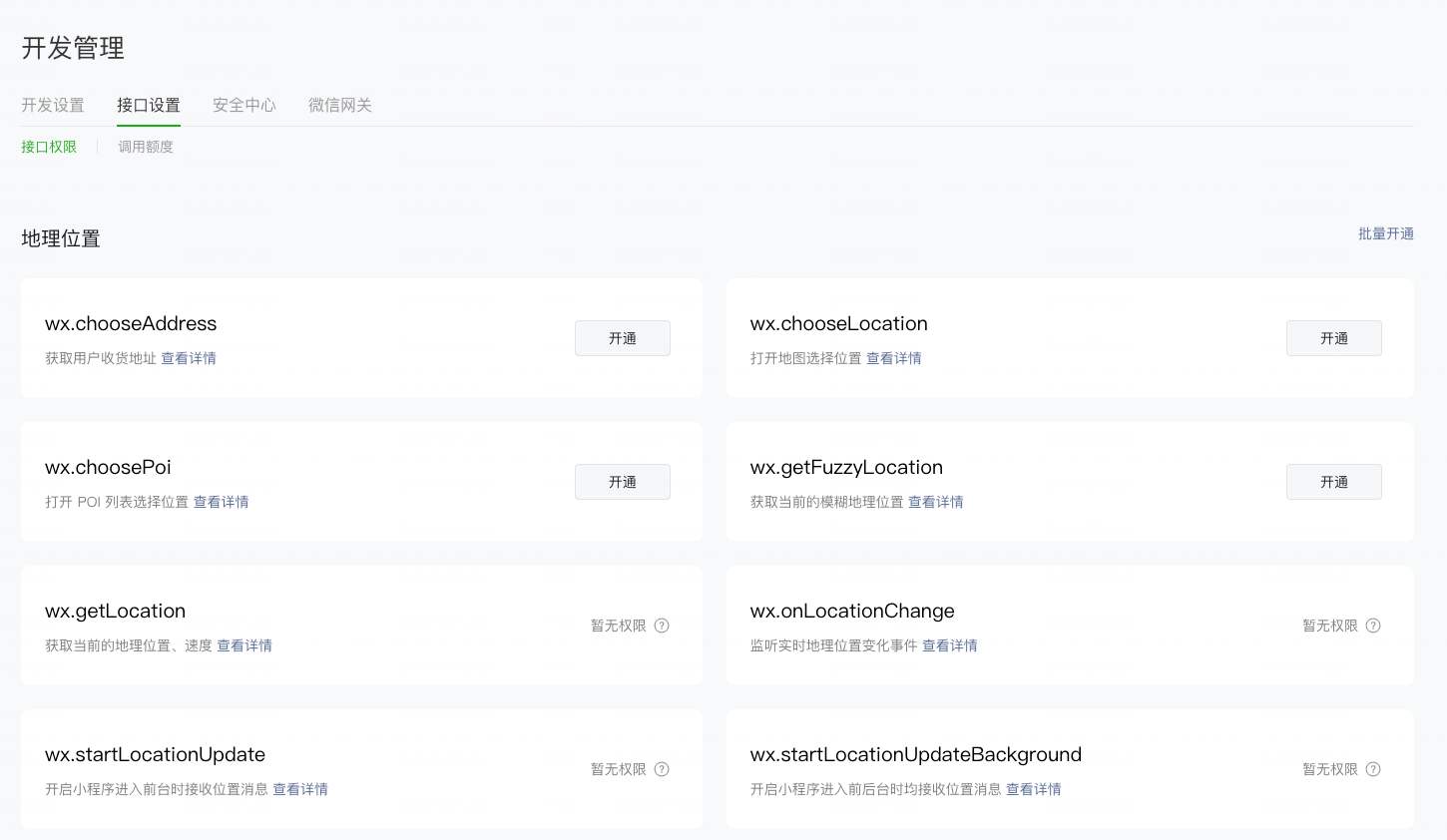
錯誤 2:插件權限設定錯誤
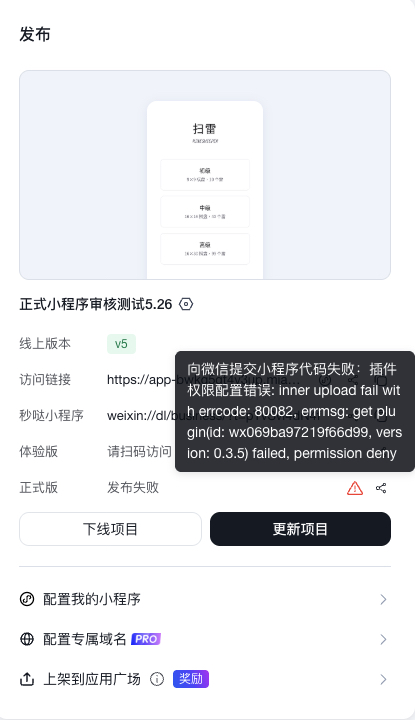
修復方式
WeChat Mini Program 插件與 MeDo Plugin Center 中的插件不同。建議優先使用 MeDo Plugin Center 的插件,並告訴 MeDo 移除與 WeChat Mini Program 插件相關的程式碼。如果你確實需要 WeChat Mini Program 插件,請掃描程式碼並前往 WeChat Open Platform > Management > Version Management > View Authorized Third-Party Platforms > Third-Party Settings > Plugin Management,然後新增所需插件。
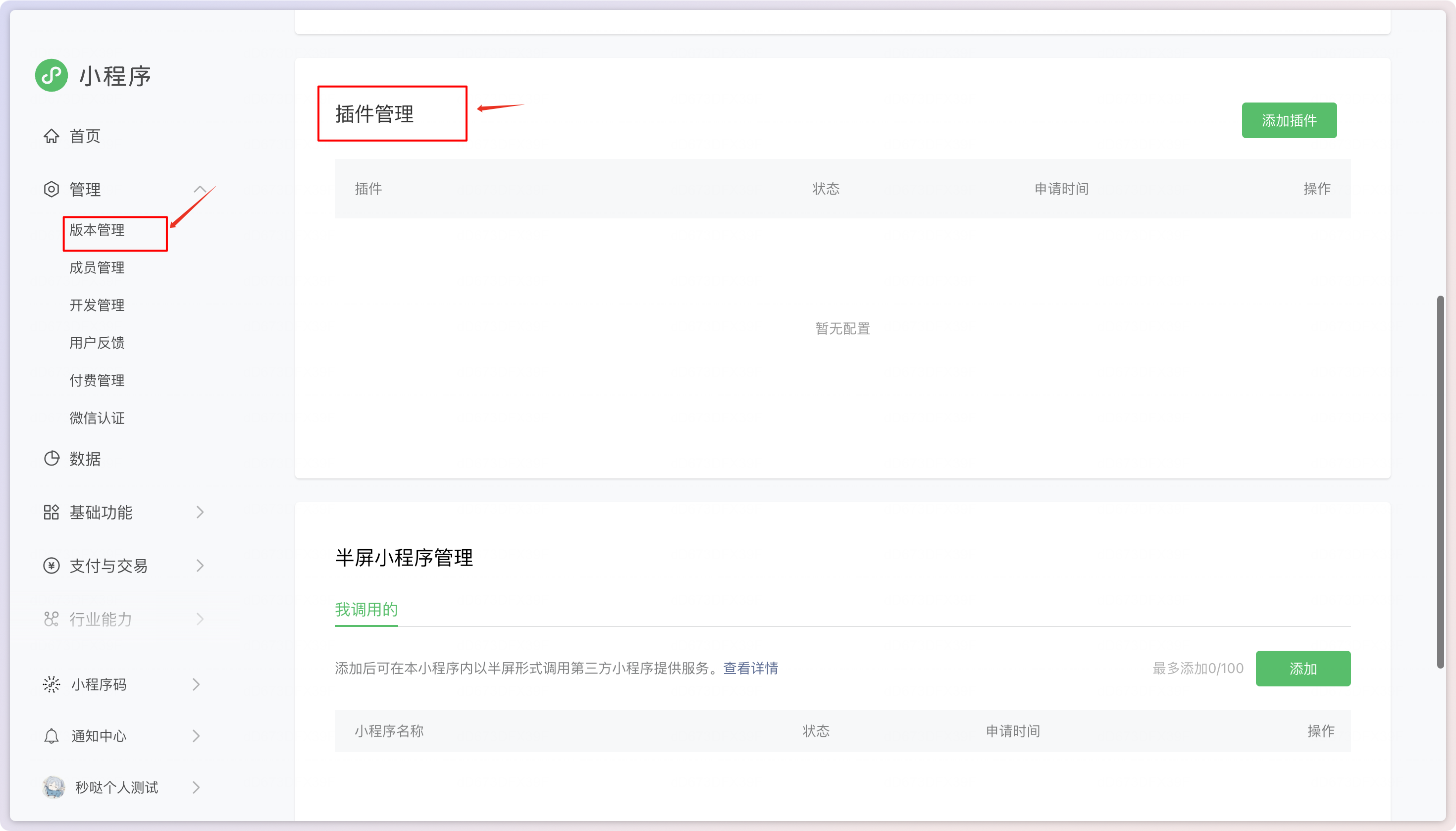
在 Plugin Management 中新增插件。
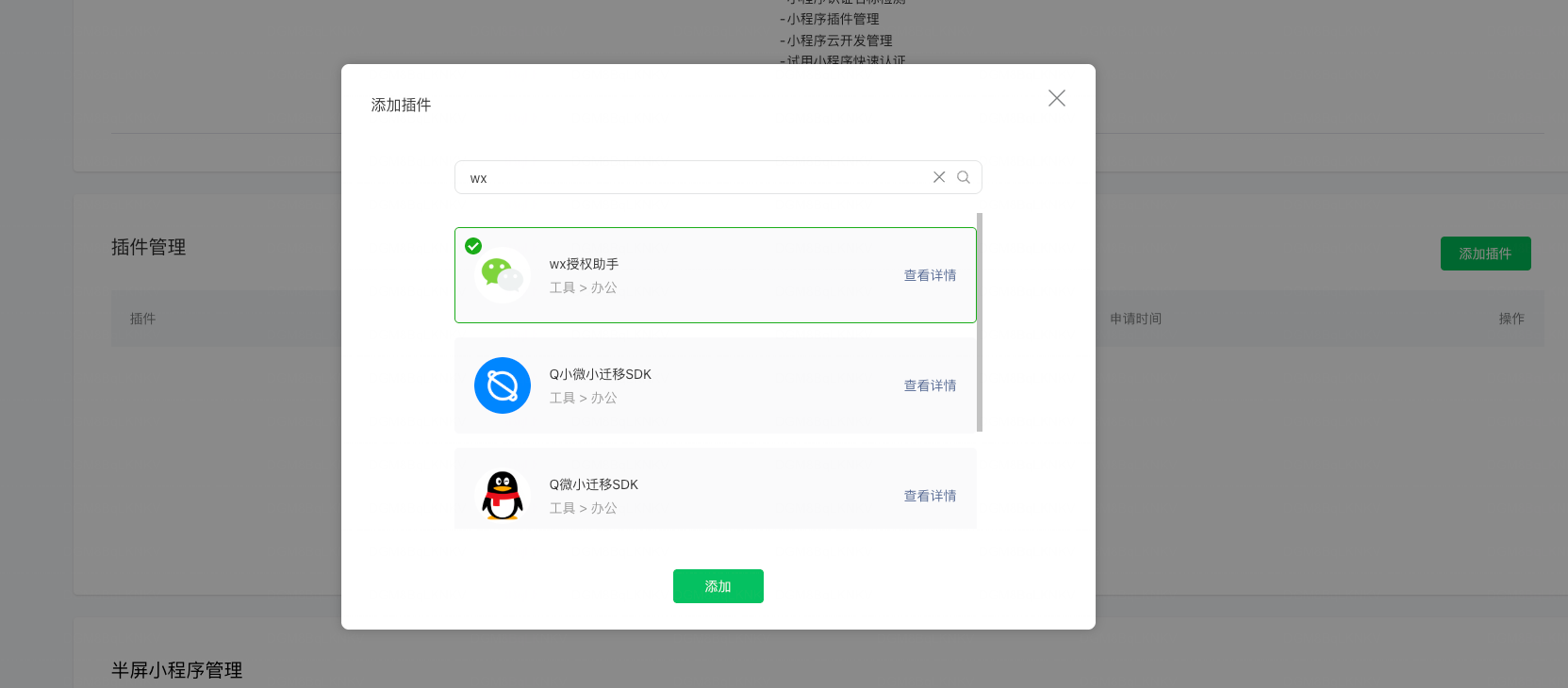
選擇所需插件。
錯誤 3:私隱權限設定錯誤
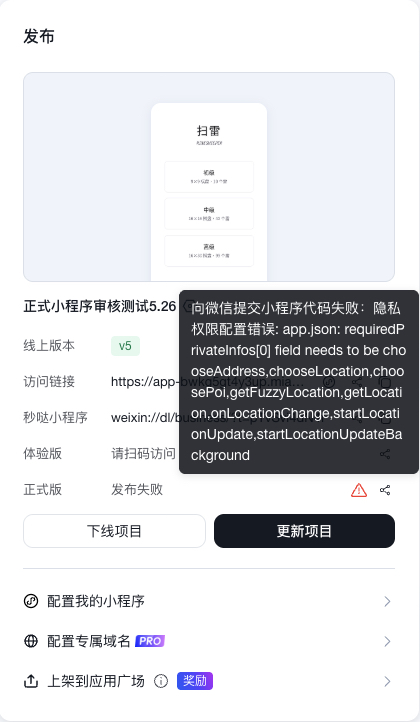
修復方式
告訴 MeDo 調整設定。提示詞範例:
錯誤 4:頁面設定錯誤
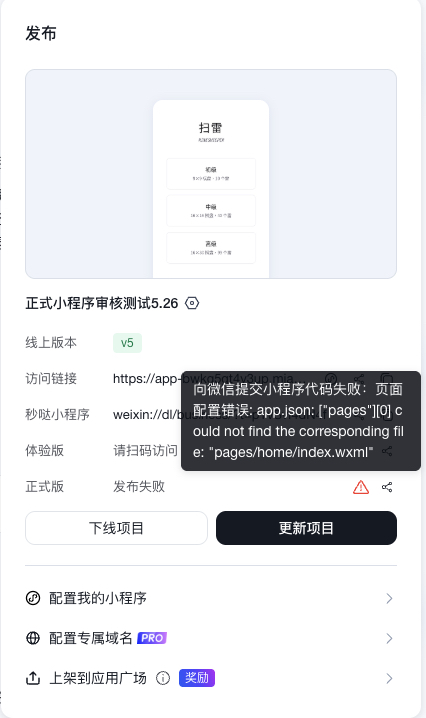
修復方式
告訴 MeDo 修復重複頁面設定。提示詞範例:
錯誤 5:插件版本錯誤
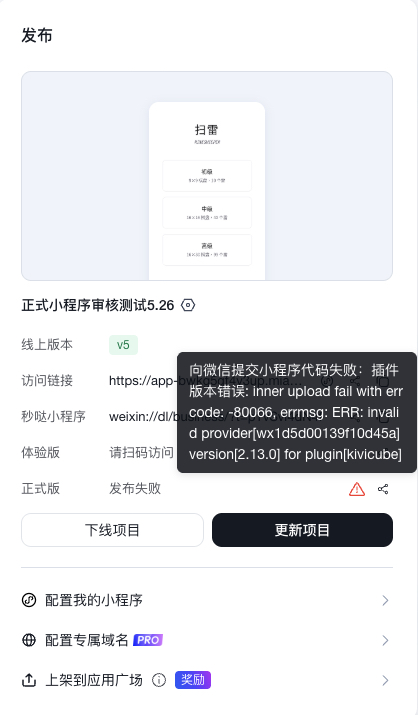
修復方式
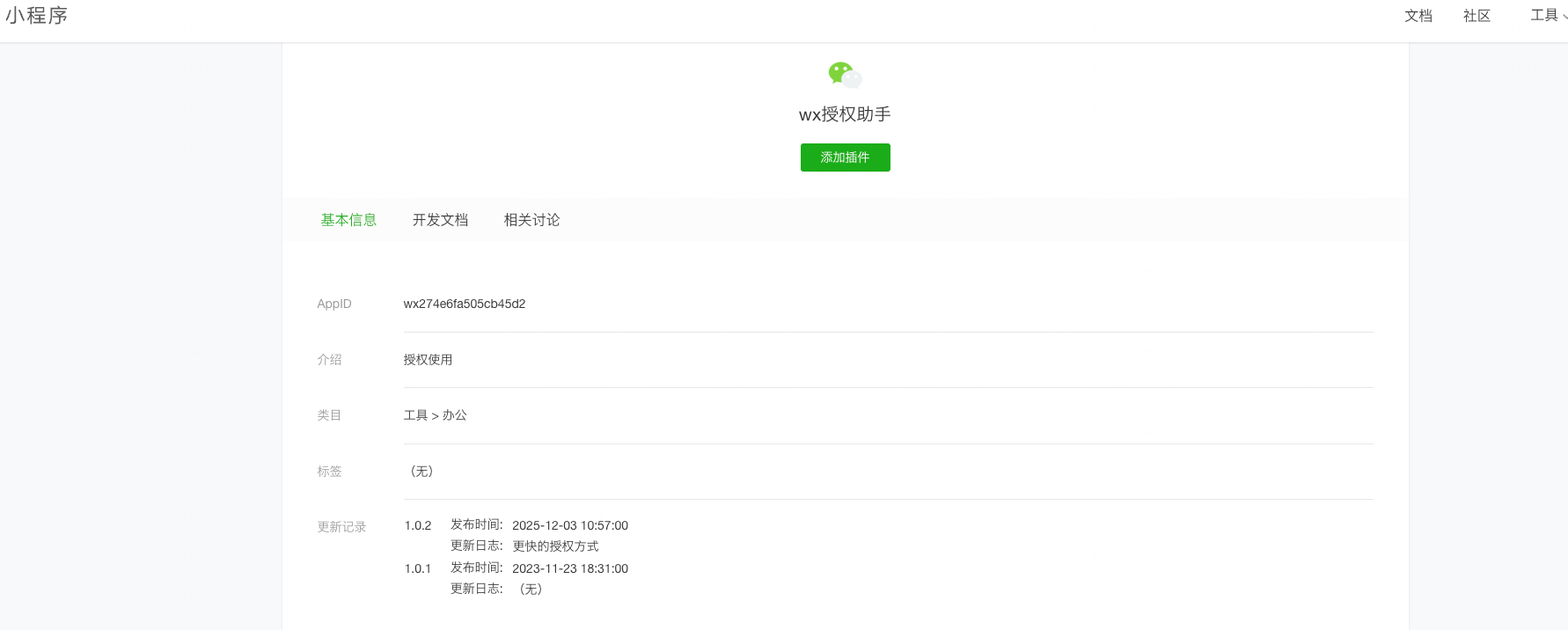
WeChat Mini Program 插件與 MeDo Plugin Center 中的插件不同。建議優先使用 MeDo Plugin Center 的插件,並告訴 MeDo 移除與 WeChat Mini Program 插件相關的程式碼。如果你確實需要 WeChat Mini Program 插件,請掃描程式碼並前往 WeChat Open Platform > Management > Version Management > View Authorized Third-Party Platforms > Third-Party Settings > Plugin Management。新增所需插件,開啟其詳情,找到最新版本號,並告訴 MeDo 更新版本。提示詞範例:
錯誤 6:程式碼包超過 WeChat 2 MB 限制
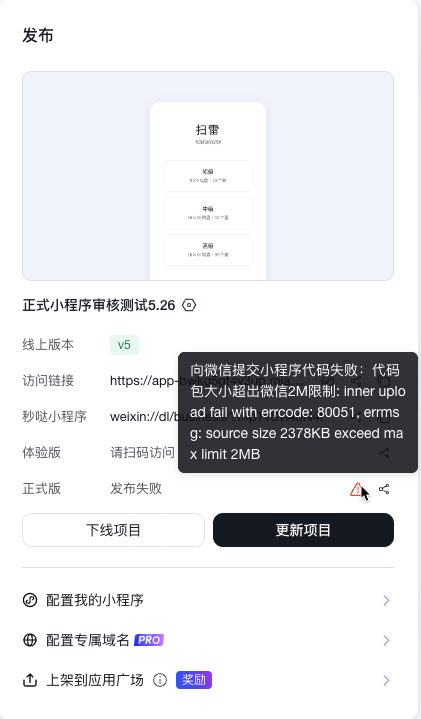
修復方式
告訴 MeDo 縮減包大小。提示詞範例:
錯誤 7:底部導航設定錯誤
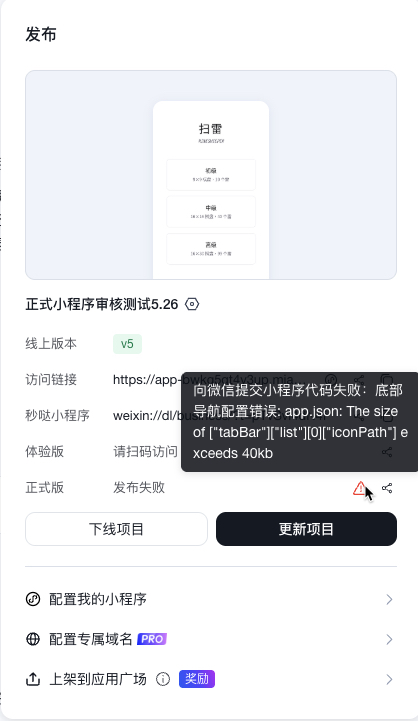
修復方式
告訴 MeDo 修復底部導航設定。提示詞範例:
錯誤 8:建置設定錯誤
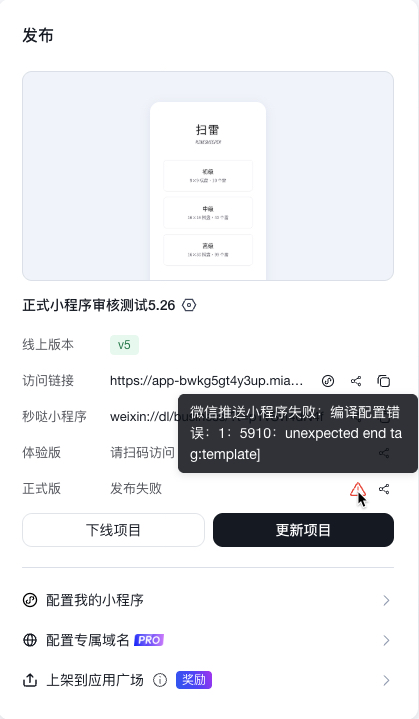
修復方式
告訴 MeDo 清理建置設定。提示詞範例:
錯誤 9:WeChat 小程式審核失敗
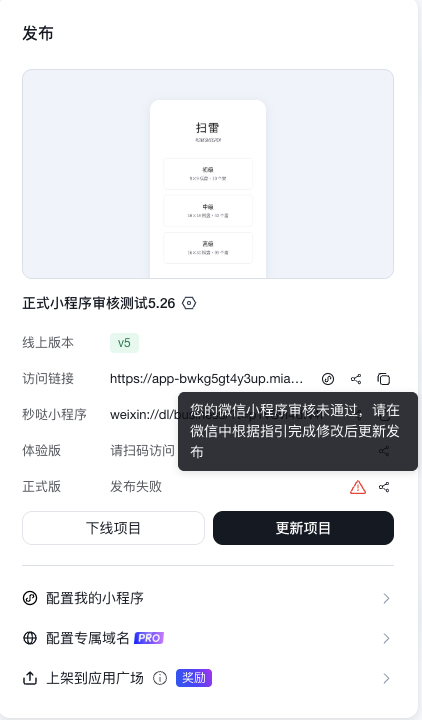
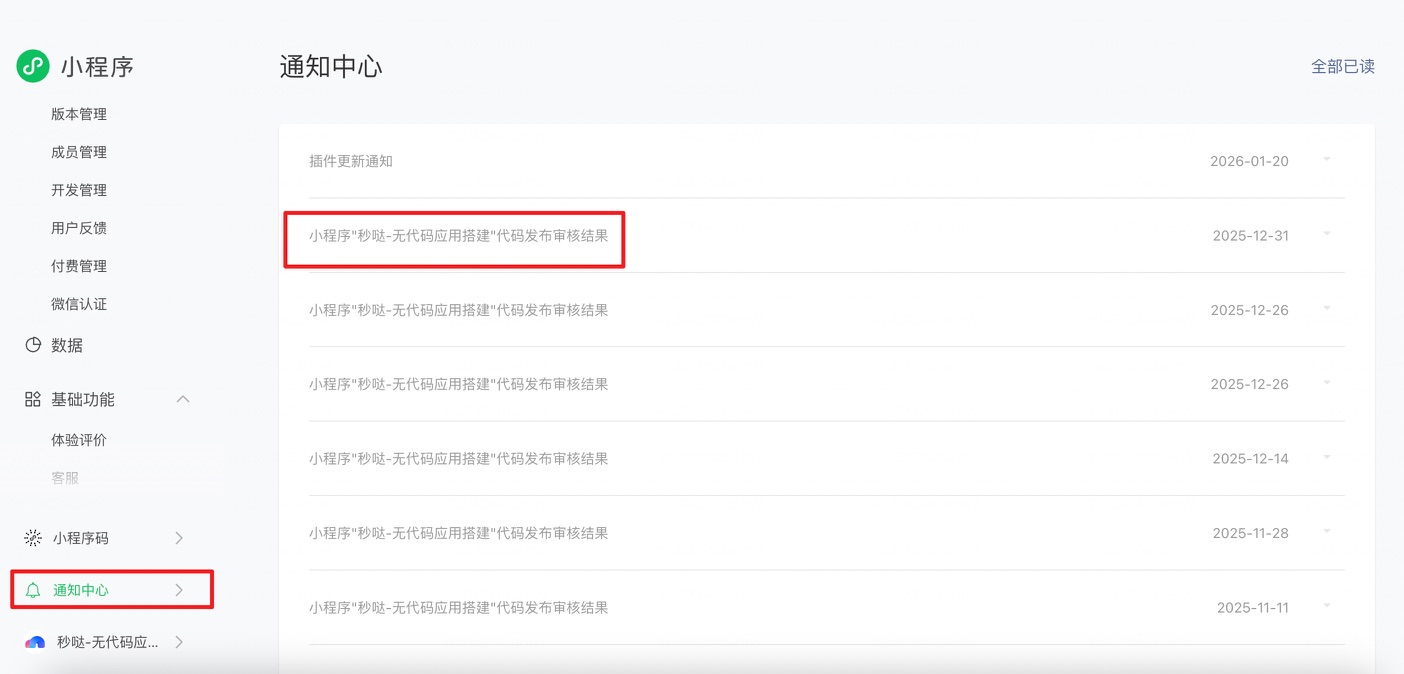
前往 WeChat Official Accounts Platform > Notification Center 查看審核結果。你也可能會在手機上的 WeChat 服務通知中收到審核通知。