
AI Quality Analysis
Overview
After an app version is generated, you can run AI Quality Analysis to check whether its core functions work as expected. The analysis helps identify issues before publishing and provides optimization or repair suggestions.
Each analysis consumes 60 credits. If the analysis is terminated, the credits are refunded. When issues are found, MeDo provides one free automated repair attempt.
Run AI Quality Analysis
It is recommended to run AI Quality Analysis before publishing an app, so potential issues can be found and handled earlier.
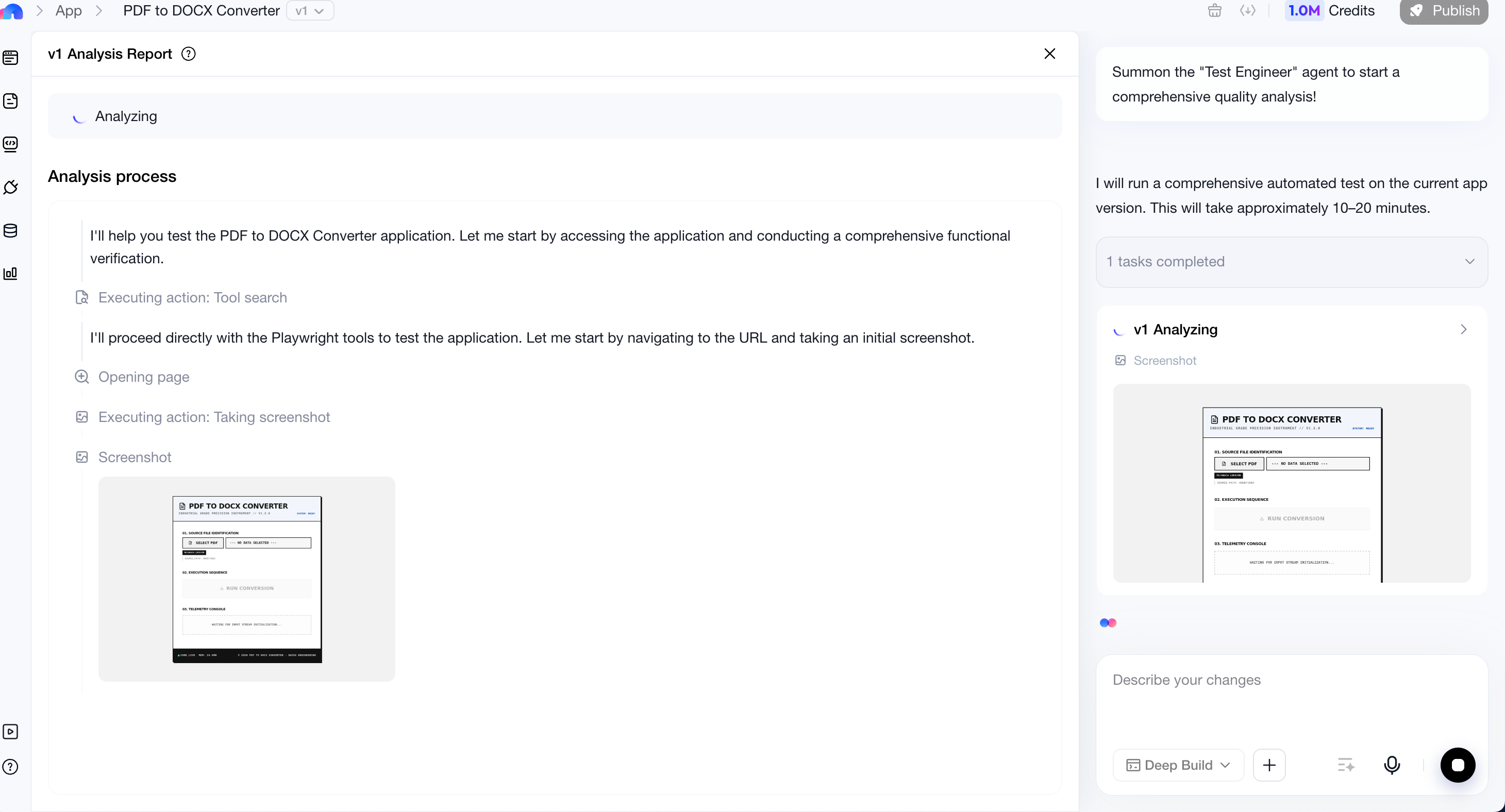
An analysis usually takes 10 to 20 minutes, depending on the complexity of the app. During the process, MeDo starts a dedicated Test Engineer agent to:
- Interact with the app automatically
- Follow the requirement document
- Simulate real user behavior
- Verify core functions end to end

After the Analysis
After the analysis finishes:
- If issues are detected, you can view the details in the analysis report.
- You can continue improving the app through natural language instructions.
- You can click Try to Fix to trigger the free automated repair attempt.
Automated repair may not resolve every issue in one attempt. After a repair finishes, run another quality analysis to confirm the result.
Features Requiring Manual Verification
AI Quality Analysis focuses on the core functions described in the requirement document. For extra requirements such as performance optimization or code refinement, submit natural language instructions separately.
The following scenarios are not fully supported by automated testing and require manual verification. They are also excluded from the free automated repair attempt:
- Game apps
- Multi-role permission systems, because only single-role validation is currently supported
- Features that require authentication or real-world interaction, such as Stripe payments, SMS or email verification, face recognition, voice recognition, and gesture recognition
- Features that require specific file uploads, such as invoice or ID recognition
- Long-running or asynchronous tasks, such as image generation, video generation, and PPT generation