
7-Day Free Trial Package User Manual
What is the 7-Day Free Trial Plan?
The 7-Day Free Trial Plan is a limited-time promotional offer that allows eligible users to enjoy Pro membership benefits free of charge for 7 days.
During the trial period:
- Access all Pro features
- A payment method must be linked when starting the trial
- No charges will be made during the 7-day trial
- At the end of Day 7, the subscription will automatically renew as a paid Pro membership
- This offer is available to new users only and can be used once per account
How to Start the Trial
Step 1: Go to the Subscription Page
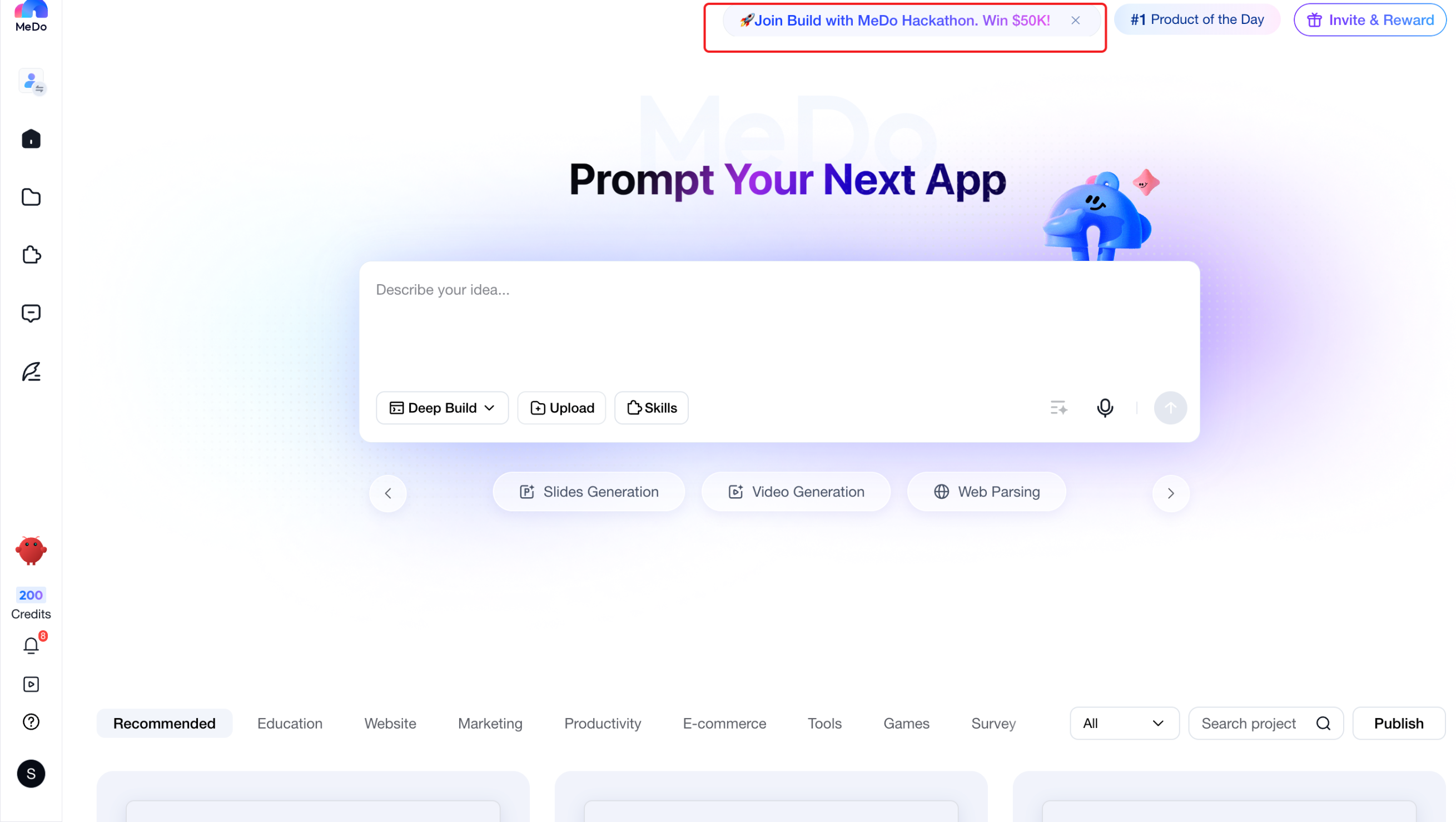
Eligible users will see a trial promotion banner on the homepage:
“Go Pro. More credits, more power - free for 7 days”
Click the banner to open the Plans & Billing page.
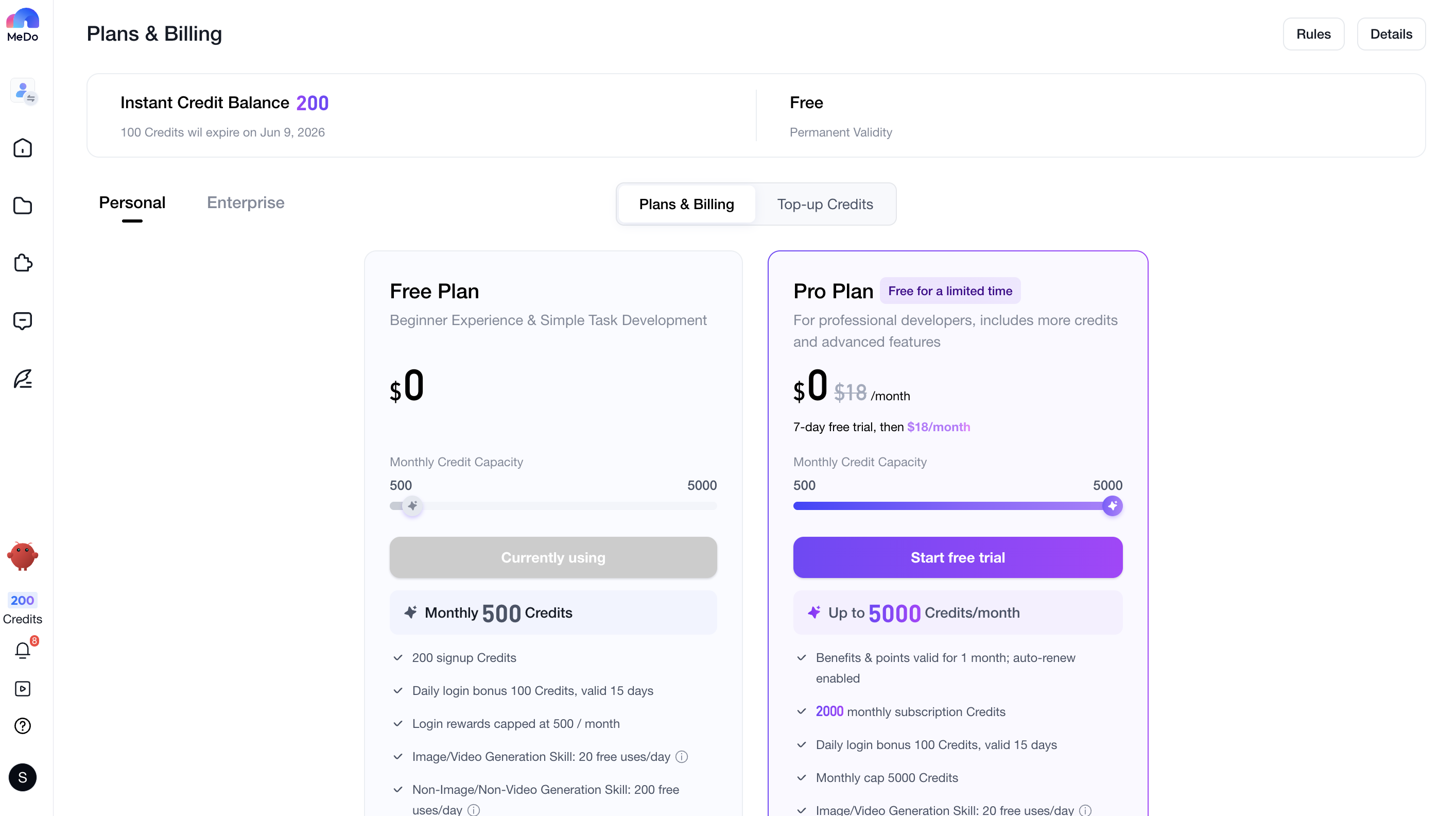
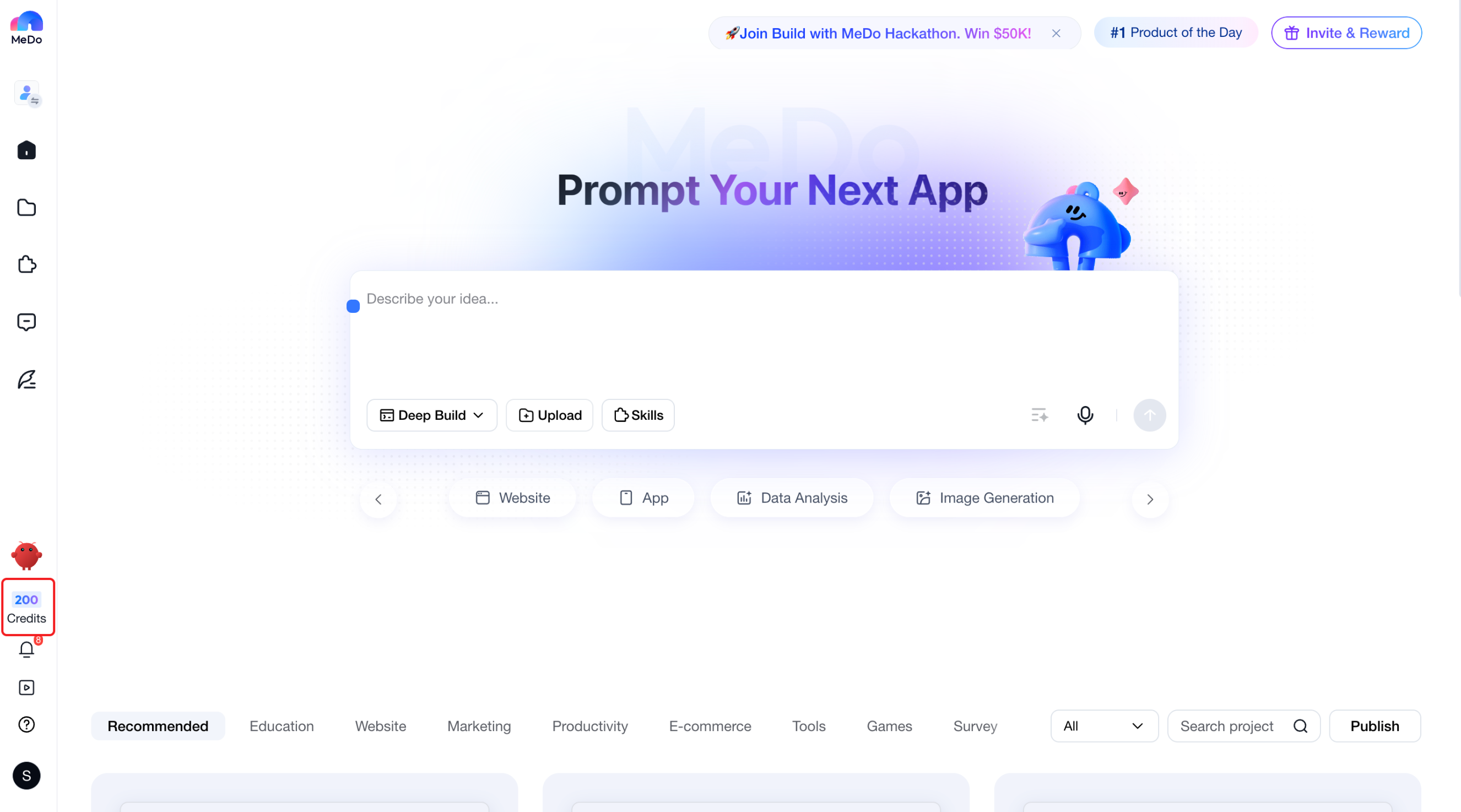
Alternatively, you can access the Plans & Billing page through the Credits section in the navigation menu.

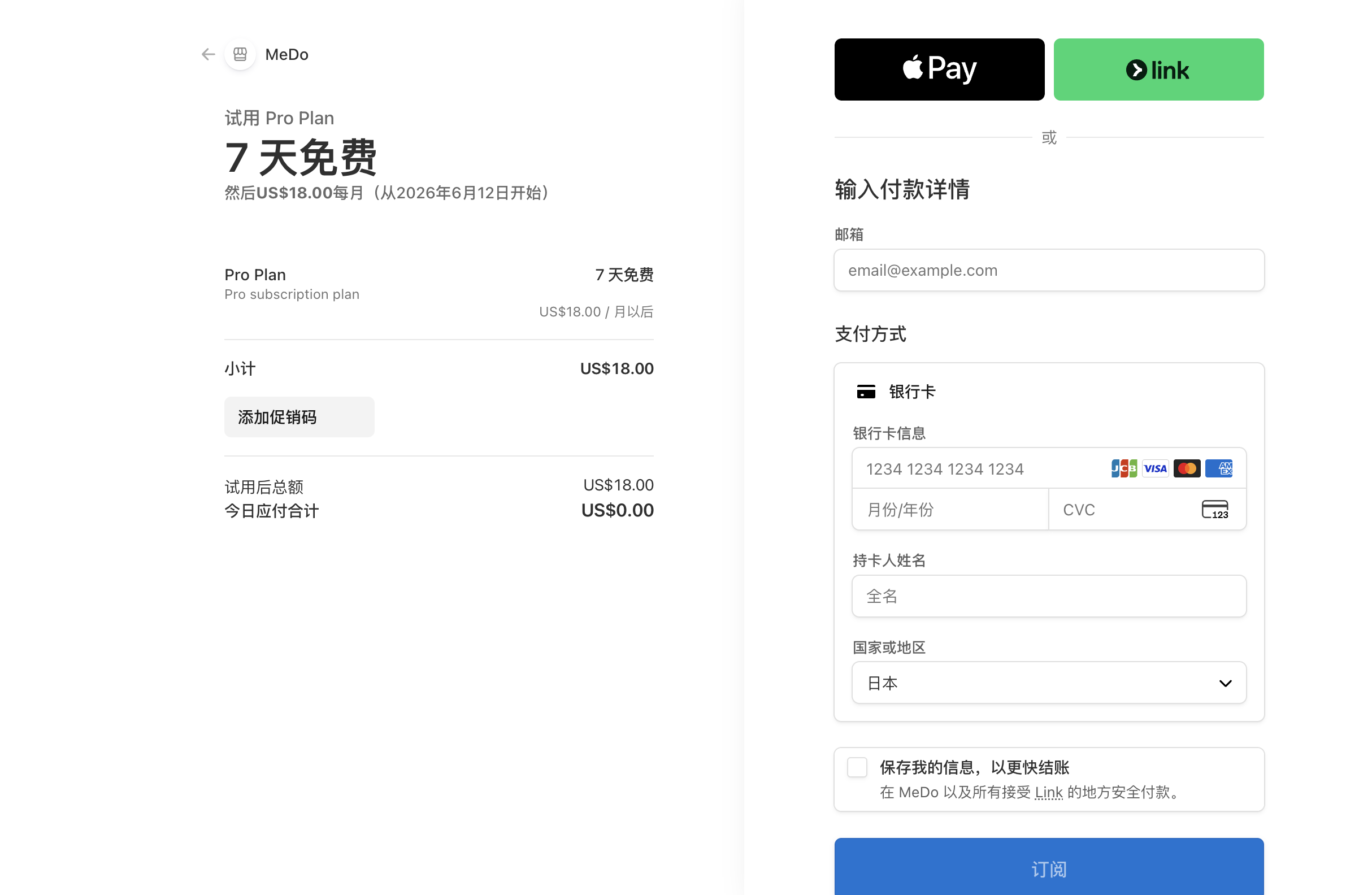
Step 2: Add a Payment Method
Click Start Free Trial to begin.
To ensure automatic renewal after the trial period, you must first add a valid payment method.
Note: Depending on your region and card type, your bank or payment provider may place a temporary authorization charge that is not collected by Miaoda.
Step 3: Start Enjoying Pro Benefits
Once your payment method is successfully linked:
- Pro benefits are activated immediately
- The trial lasts for 7 days
- Your subscription status will display as Pro Trial
What Can I Do During the Trial?
Trial users enjoy the same benefits and features as paid Pro subscribers.
What Happens When the Trial Ends?
If you do not cancel the trial:
- The system will automatically charge your payment method on Day 7
- You will be billed according to the local Pro subscription price in your country or region
- Your account will be upgraded to a paid Pro subscription
- No additional action is required
How Can I Upgrade to Paid Pro Before the Trial Ends?
If you'd like to become a paid Pro subscriber immediately during the trial:
- Go to the subscription management page
- Click Upgrade
- The system will charge your payment method immediately
- Your account will be converted to a paid Pro subscription
There is no need to wait until the trial period ends.
How Do I Cancel the Trial?
You can cancel at any time during the trial period by clicking Downgrade.
After cancellation:
You can continue using Pro benefits for the remaining trial period
The trial will expire automatically at the end of the 7 days
No charges will be made
The free trial cannot be reactivated

Frequently Asked Questions
Q1: Can I start another free trial after canceling?
No.
The 7-Day Free Trial Plan can only be used once per account.
Even if you cancel the trial, you will not be eligible to claim it again.
Q2: What happens if I purchase Pro during the trial?
The system will not create a second subscription.
Instead, your trial subscription will be immediately upgraded, and you will become a paid Pro subscriber right away.
Q3: Why do I need to add a payment method?
The subscription is designed to automatically renew when the trial ends.
Stripe's official free-trial mechanism requires users to provide a valid payment method before starting the trial.
Q4: Will I be charged during the trial?
No.
You will not be charged at any point during the 7-day trial period.
You will only be charged if the trial expires and you have not canceled it beforehand.
If you do not wish to be charged, please cancel your trial before it ends.
Q5: What happens if the automatic payment fails?
If the payment fails when the trial ends:
- A 48-hour grace period will be provided
- You can update your payment method during this period
- If payment succeeds within the grace period, your account will be upgraded to a paid Pro subscription normally
- If payment is still unsuccessful after 48 hours, the subscription will automatically expire
Q6: Is the 7-Day Free Trial available for Enterprise plans?
No.
The free trial is available only for the Personal Pro plan.
Enterprise plans and other subscription types are not eligible for this promotion.